Contact us
 Customer Area
 Visit LWS
Rate this article :
5/5 | 2 opinion
This article was useful to you ?
 Yes
Yes
 No
No
 Article read
41712 once
Article read
41712 once Merci ! N'hésitez pas à
poser des questions sur nos documentations si vous souhaitez plus d'informations et nous aider à les
améliorer.
Merci ! N'hésitez pas à
poser des questions sur nos documentations si vous souhaitez plus d'informations et nous aider à les
améliorer.Vous avez noté 0 étoile(s)



Sommaire
Procédure
This guide explains how to order LWS Linux hosting to create your website.
LWS Linux hosting (shared web hosting with LWS Panel)
Before you start, make sure you have :
When you place your order, you can :
Once payment has been validated, you will receive a delivery email containing :
Go to the LWS Linux hosting page.
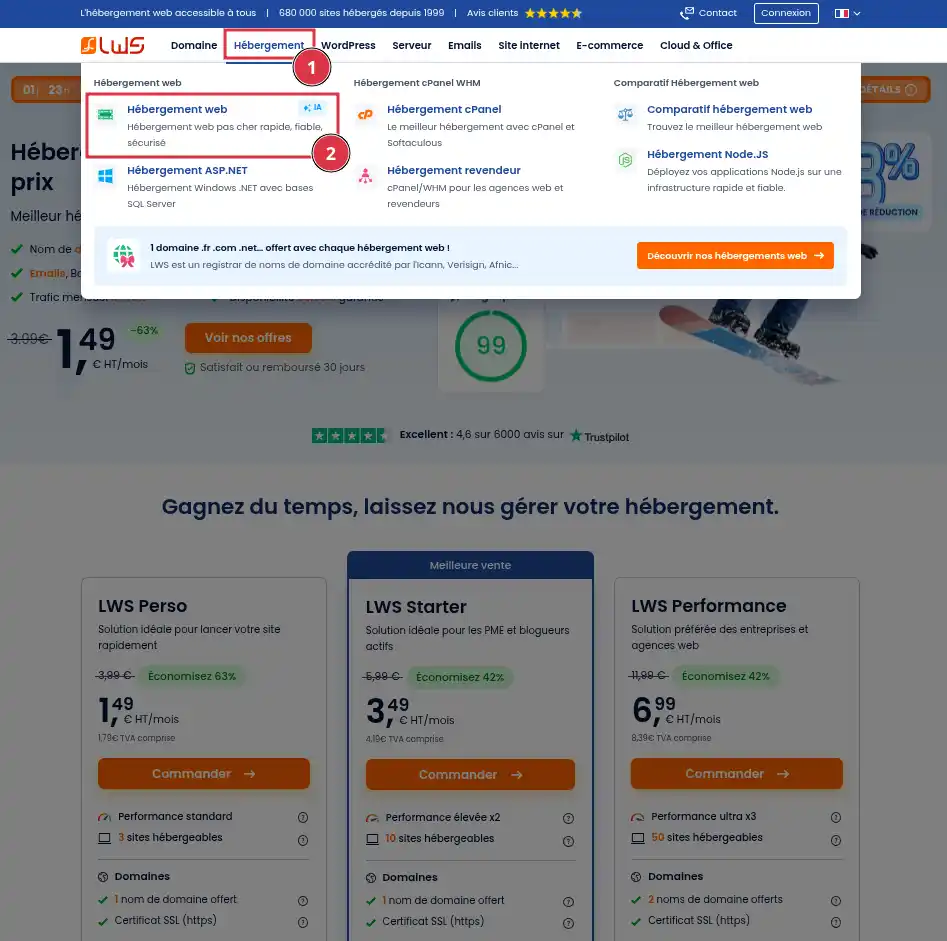
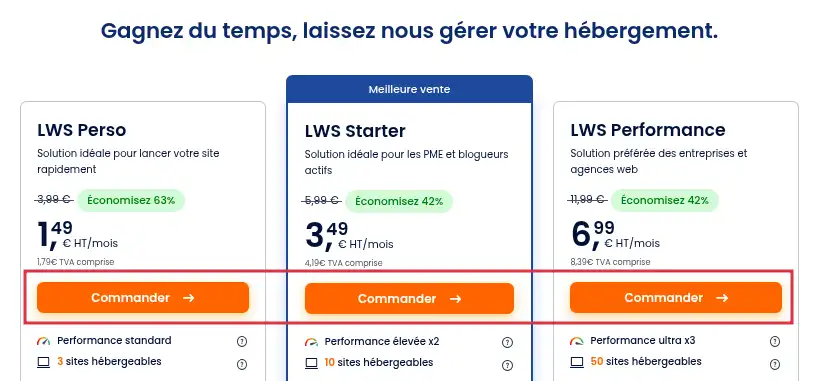
Compare the packages according to your needs (number of sites, disk space, emails, etc.). If you're not sure which package to choose, or if you'd like some advice or further information, please contact our sales department.
Click on "Order" for the package you want.
Choose the length of commitment that suits you best.
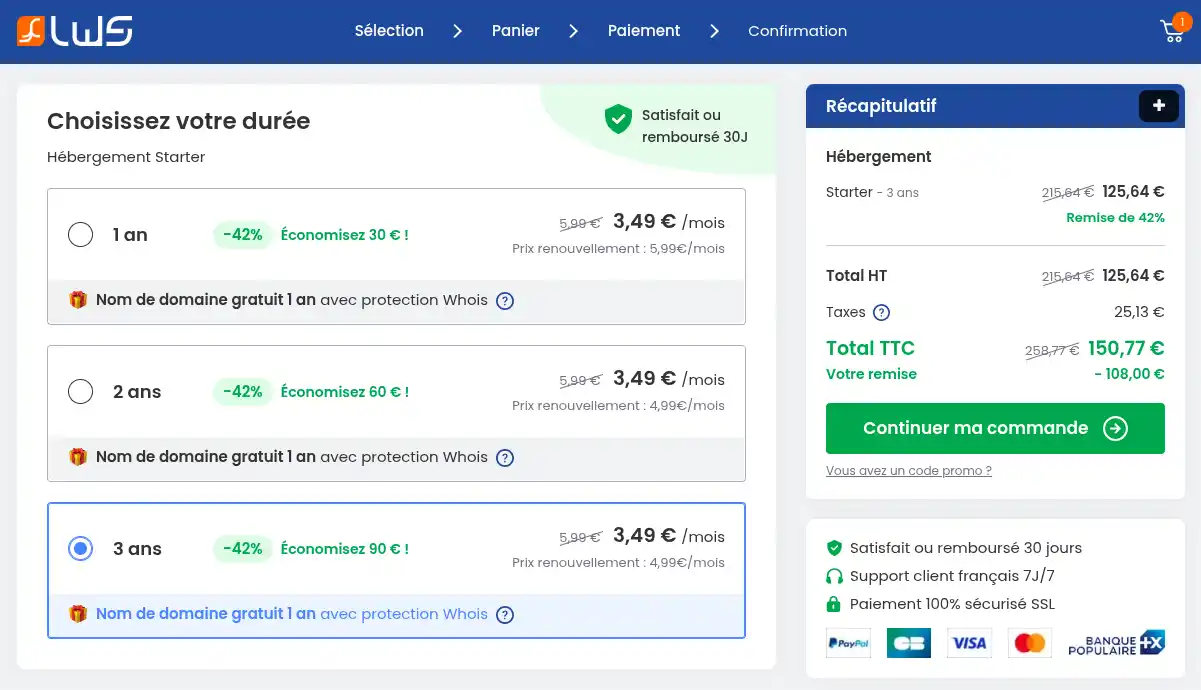
A longer commitment period allows you to control the cost of your hosting over many years.
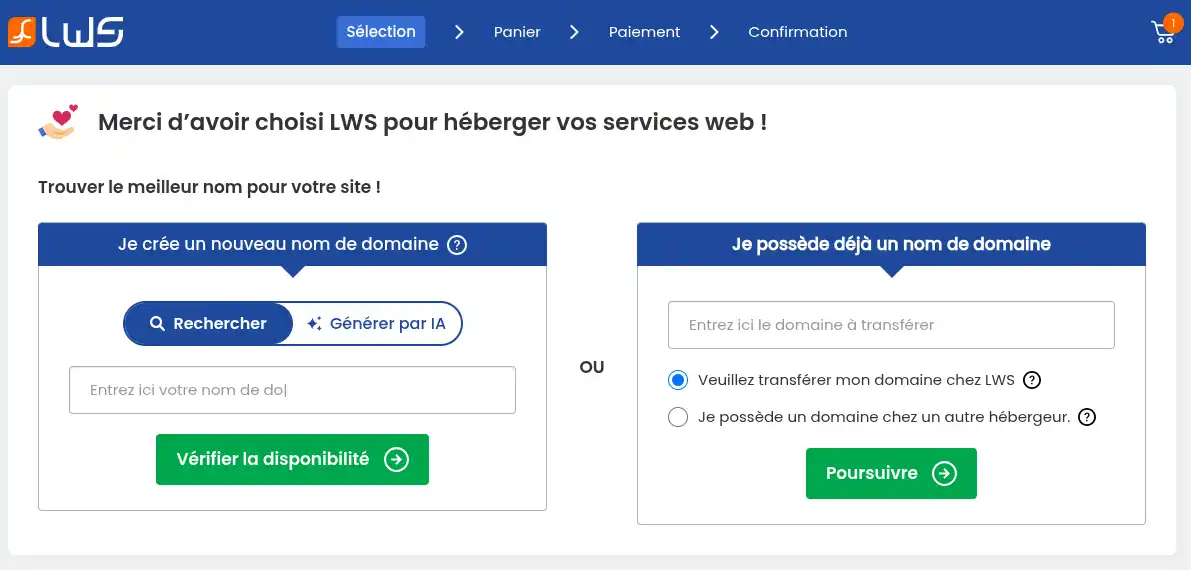
You have 3 options:
In this box, you can carry out a classic search by simply entering the domain name you'd like to use and clicking on the "Check availability" button, or let the AI suggest a domain name by entering a description of what you'd like and then clicking on the "Generate" button. All you have to do is select the search mode that suits you best.
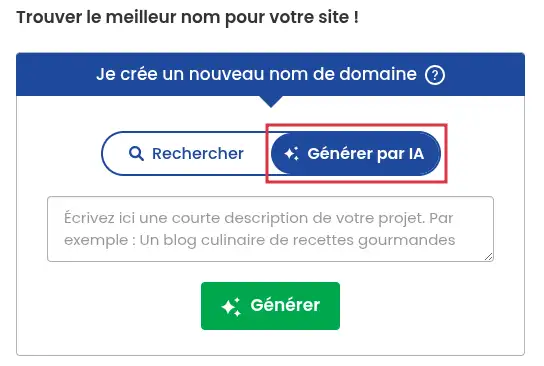
Once your search is complete, you will be presented with a selection of domain names.
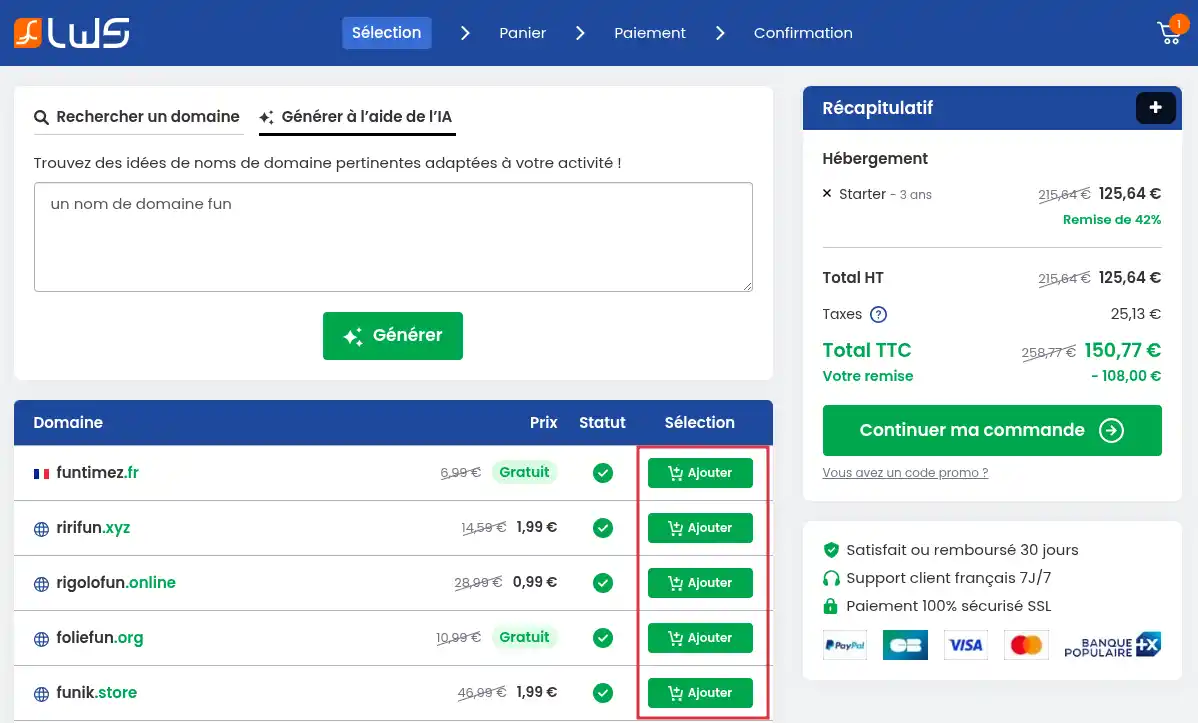
Simply click on the"Add" button associated with the domain name you wish to choose, then click on the"Continue my order" button.
The domain name is not available in the extension you want? Has the AI not suggested a domain name that suits you? Don't hesitate to carry out a new search.
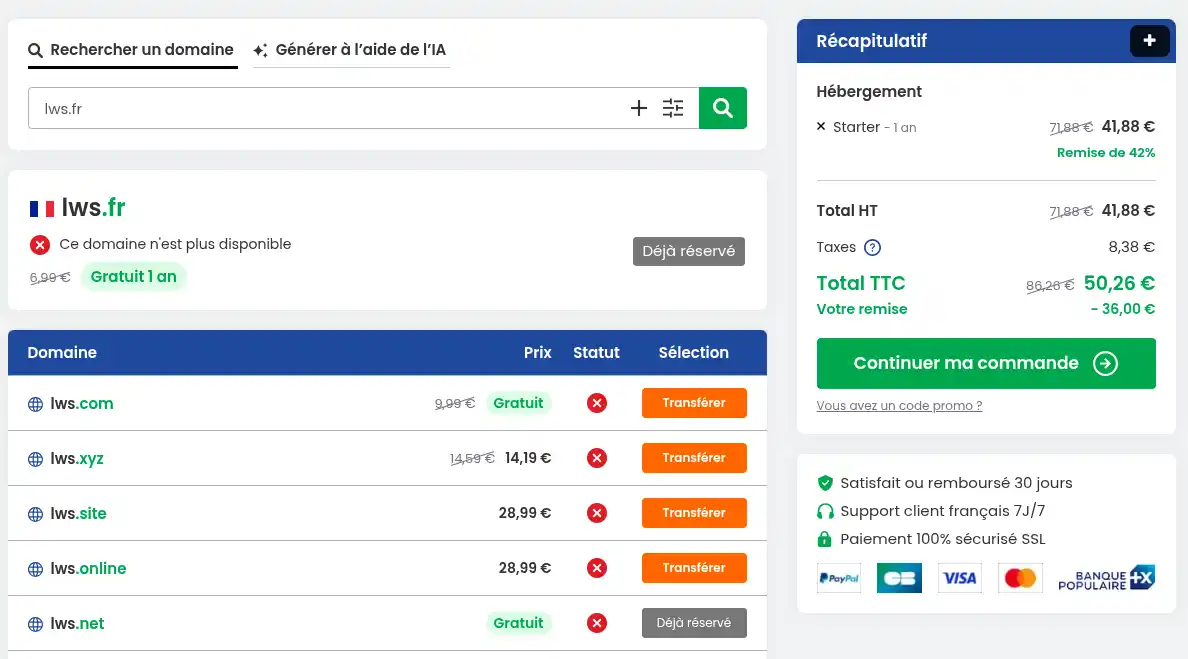
You already have a domain name with another registrar and would like LWS to manage it at the same time as the hosting. Simply select the option"Please transfer my domain to LWS" in the box on the right of the page. Then enter the domain name you wish to transfer before clicking on the "Continue" button.
To transfer a domain name to LWS, you must be the owner of the domain name at another registrar and have the Transfer Code (EPP Code or Auth Code) required to initiate the transfer of a domain name between registrars.
In the next step, simply click on the "Transfer" button on your domain name to add it to the order form.
At a further stage, you will be asked to confirm that you are the owner of the domain or that you are in a position to request the transfer of the registrar and to confirm your choice.
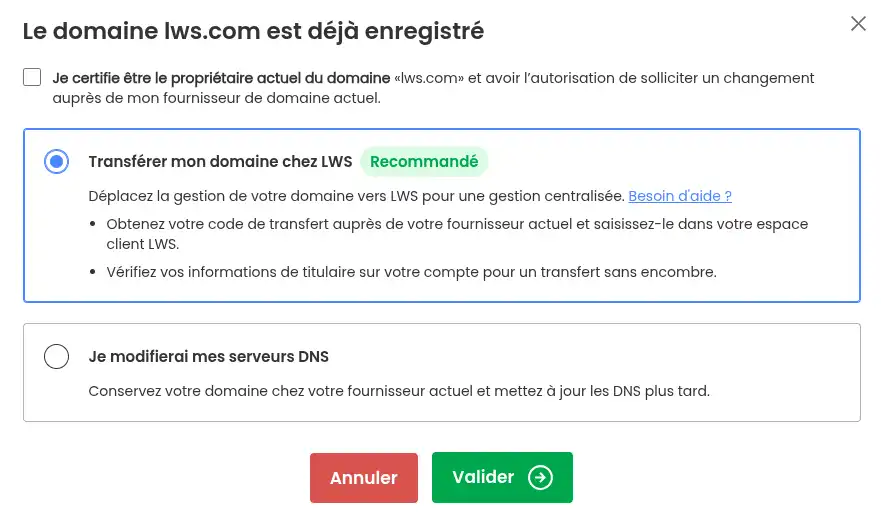
Then click on the "Continue my order" button .
If you already have a domain name with another registrar and don 't want LWS to manage it for the time being, no problem, you can order hosting without a domain name. However, you will need to contact your domain name manager to link it to your LWS hosting.
To do this, simply select the option"I have a domain name with another hosting provider" in the box on the right of the page. Then click on the "Continue" button.
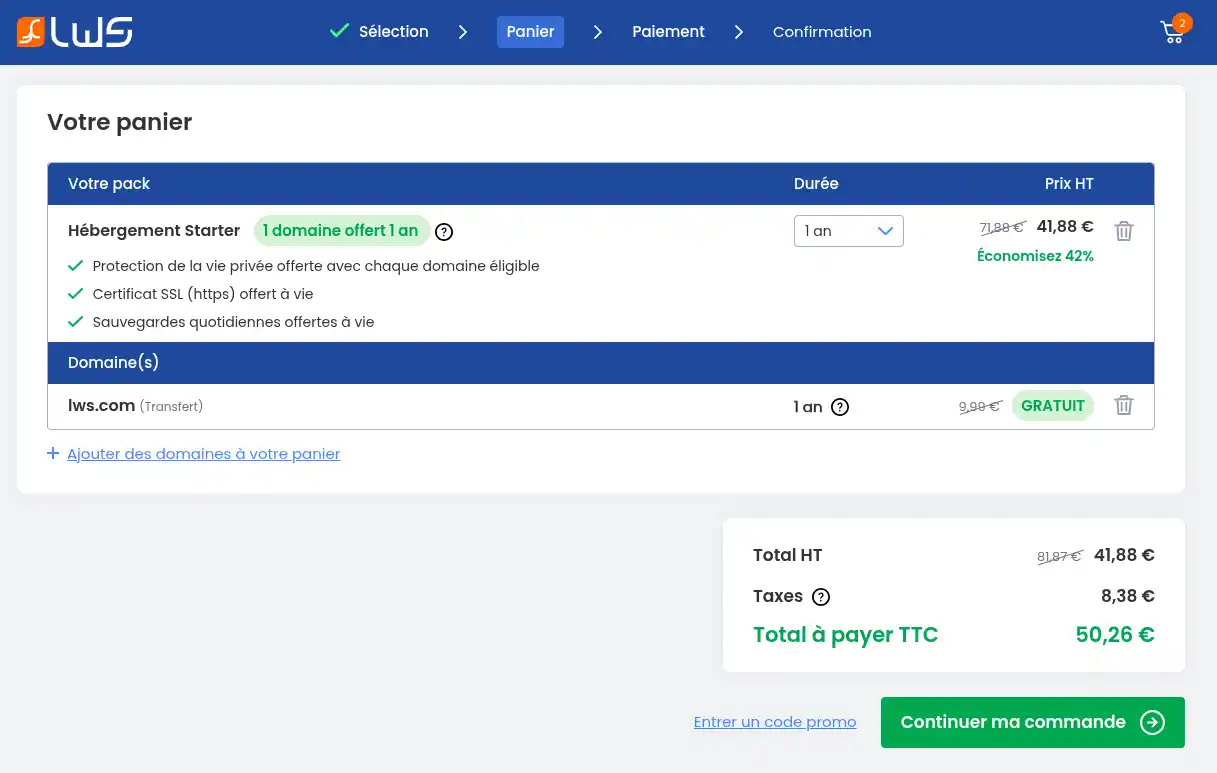
Check the summary of your order.
Click on "Continue with my order".
At this stage, you can change the commitment period for a product, or add additional domain names to your order. You can also enter a promotional code if you have one by clicking on the "Enter a promotional code" link .
If you already have an LWS account, click on the "I already have an account" button in the left-hand menu .
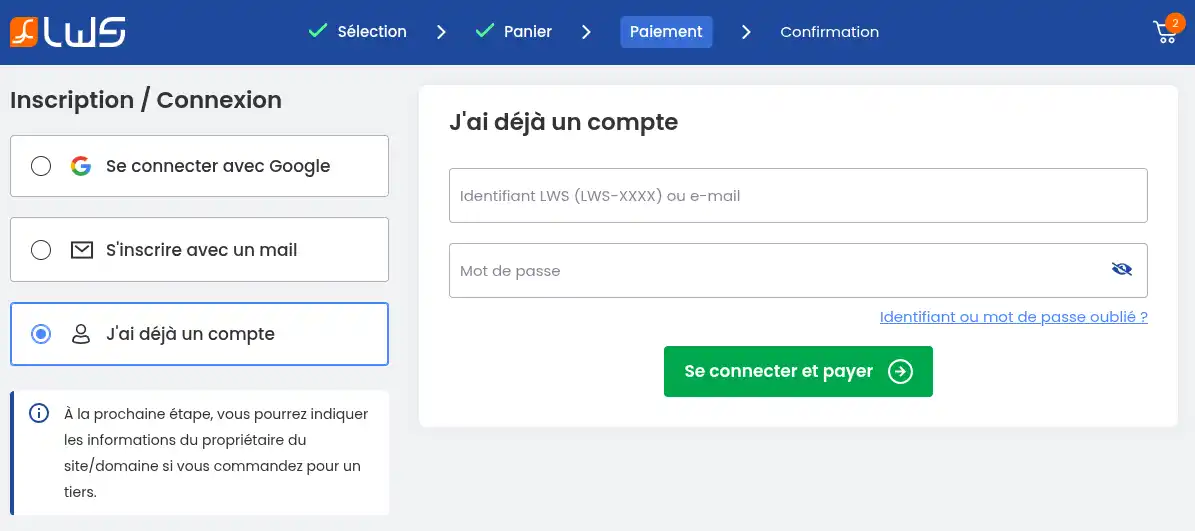
You will then need to enter your login details before clicking on "Log in and pay".
If you do not yet have a LWS account, you can register with an email address by clicking on the "Register with email" button.
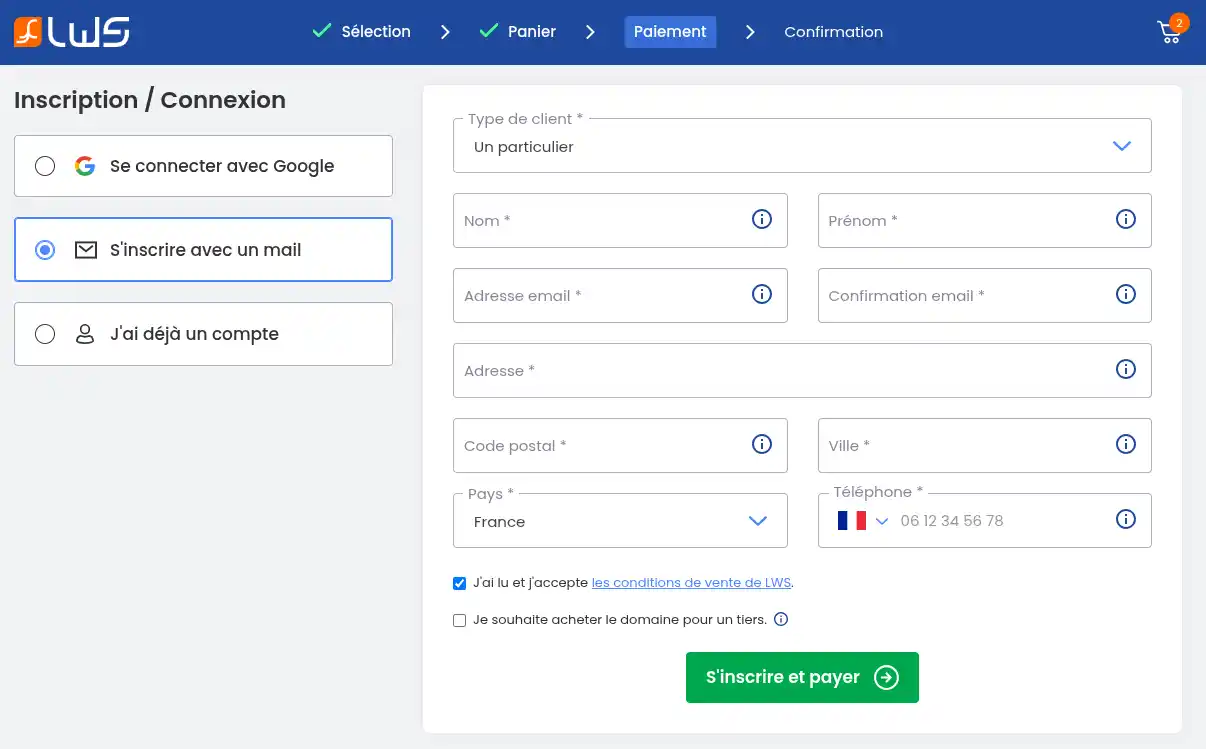
Fill in the form before clicking on the "Register and Pay" button.
Please make sure that your contact details are accurate (they will be sent to the registry, which can check their validity), that you give a valid email address (your login details will be sent to this email address), and that you register as a company or association if you are registering this service for a company or association (this will enable the service to be passed on if you change management or chairman).
You can also log in with your Google account if it uses the same email address as your LWS account. If you have not yet created an LWS account, your first name, surname and e-mail address will be pre-filled, and you will need to complete the rest of the form before clicking on the "Register and pay" button.
At the next stage, you will be asked to indicate whether you are the owner of the domain name to be registered or only the technical manager, but that the ownership is linked to another person (web agency for example).
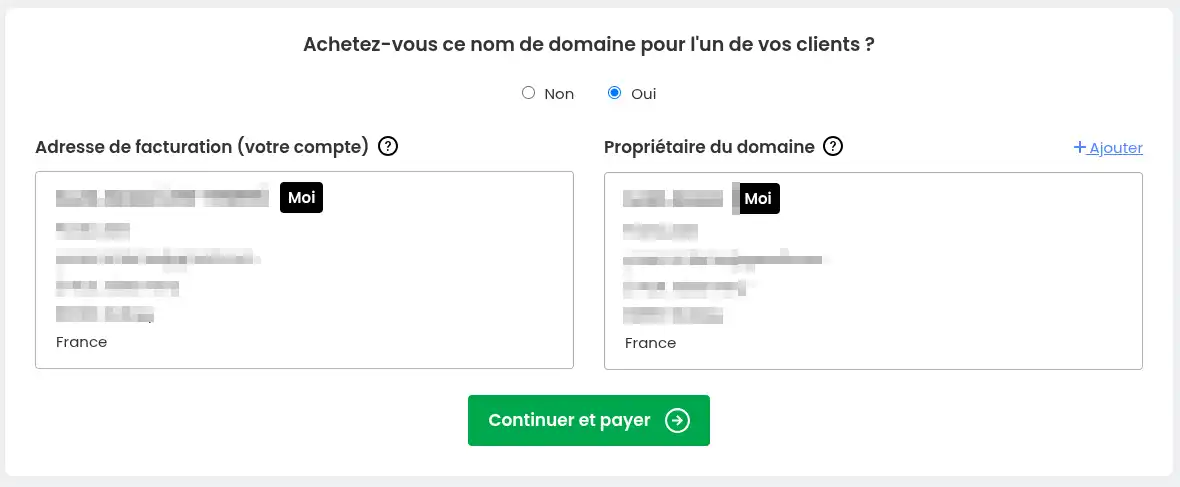
Leave "no" if you are ordering the domain name for yourself.
Leave "yes" and enter an owner address if you are buying the domain name for someone else.
Once you have made your choice, click on the"Continue and Pay" button.
You will then be redirected to the final payment stage.
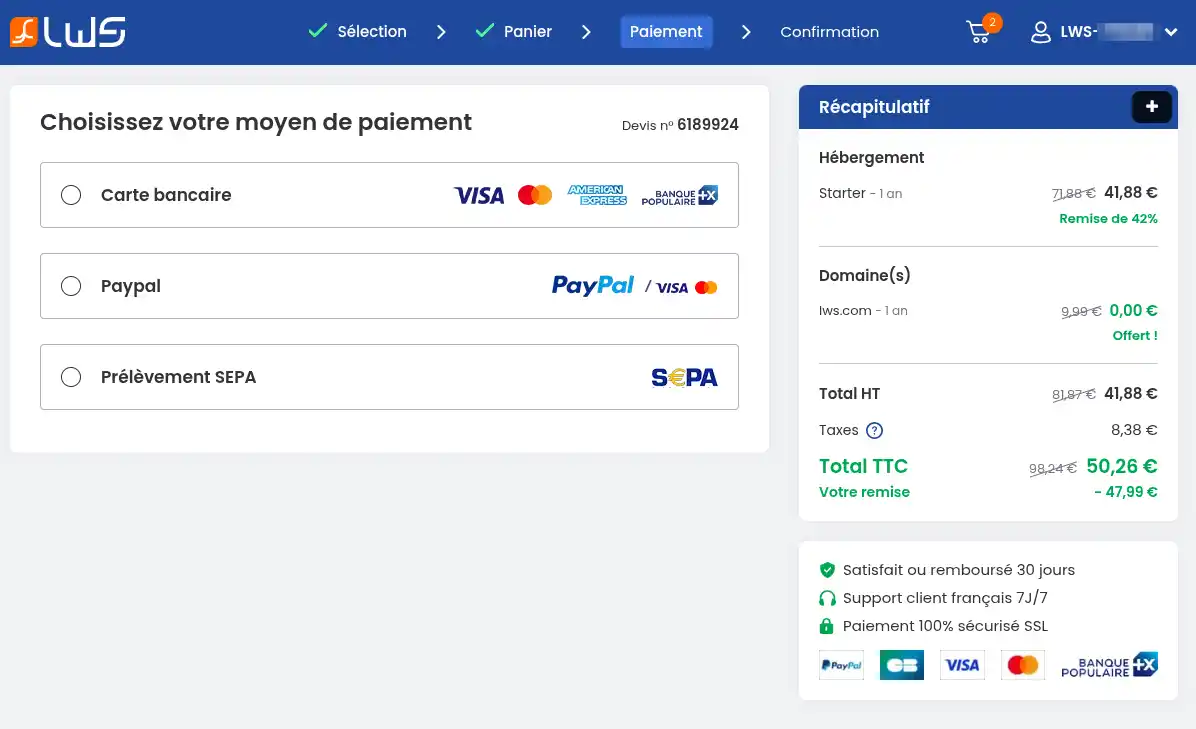
Choose your payment method:
The payment methods offered may differ depending on the geographical area. See our detailed documentation on the payment methods offered by LWS.
Orders are only validated on receipt of payment:
Once the order has been validated, you will receive all the information you need to use it by email. If you have not received your identifiers, you can regenerate new ones by following this documentation.
It takes 6 hours to be able to use your domain name / web hosting (maximum delay due to the propagation of DNS on the web).
Your order is operational if :
You can now :
I have not received the delivery email
The payment does not go through
My site doesn't work straight away
Your LWS Linux hosting is now ordered.
As soon as you receive the delivery email, you can start creating your website.
If you encounter any problems, LWS support is available to help you.
Rate this article :
5/5 | 2 opinion
This article was useful to you ?
Yes
No
0mn reading
Tips for receiving LWS emails
1mn reading
How can I use the help sections to search for information on LWS?
2mn reading
How to migrate my website to LWS free of charge
Hello,
Thank you for your feedback.
At the moment, when I go to your domain name, I can see your site.
If you encounter any problems during publication, we invite you to contact our support department through your customer area, so that we can help you.(Contact LWS support)
I thank you for your attention and remain at your disposal should you have any further questions or require additional information.
Sincerely, The LWS Team
Hello,
Thank you for your message.
In order to be able to help you as best as possible, I invite you to contact us directly via our telephone number or this page, as I cannot give you a generic answer to your problem.
I would like to thank you for your attention and remain at your disposal should you have any further questions or require additional information. You can contact us directly from thecustomer area or via this page.
Sincerely, The LWS team.
 About LWS :
LWS is a 100% French web hosting company that focuses on quality and innovation and offers a responsive and competent technical service at affordable prices.
About LWS :
LWS is a 100% French web hosting company that focuses on quality and innovation and offers a responsive and competent technical service at affordable prices.