Contact us
 Customer Area
 Visit LWS
Rate this article :
4.6/5 | 18 opinion
This article was useful to you ?
 Yes
Yes
 No
No
 Article read
30915 once
Article read
30915 once Merci ! N'hésitez pas à
poser des questions sur nos documentations si vous souhaitez plus d'informations et nous aider à les
améliorer.
Merci ! N'hésitez pas à
poser des questions sur nos documentations si vous souhaitez plus d'informations et nous aider à les
améliorer.Vous avez noté 0 étoile(s)



Sommaire
Procédure
False e-mails impersonating LWS are regularly circulating.
Their aim is to make you click on a fraudulent link or to get you to disclose sensitive information.
In this article, you will learn how to :
This documentation concerns all LWS customers using one of the following services:
Before following this procedure, you must :
Fraudsters regularly send emails that use the LWS name, logo or tone to sow doubt.
Their method is simple:
These fraudulent messages do not pass through the LWS infrastructure.
It is important to note thatno data leakage has been observed at LWS.
Fraudsters mainly exploit :
When these campaigns are reported, blocking requests are made to the service providers concerned, although they are not always successful.
The bogus e-mails observed can take several forms.
For example, you may receive a message announcing :
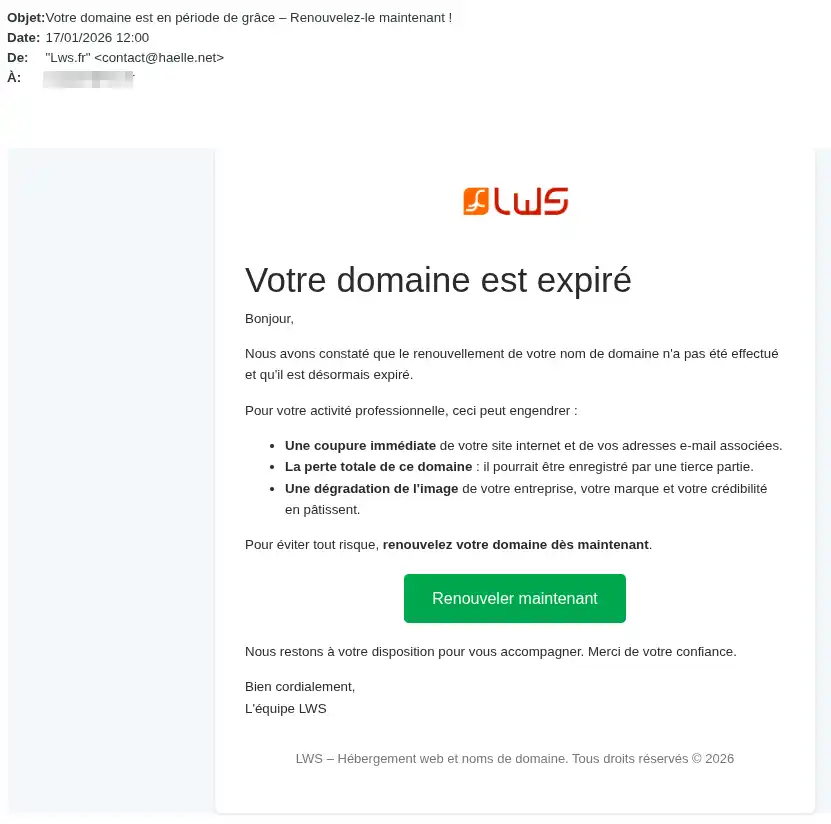
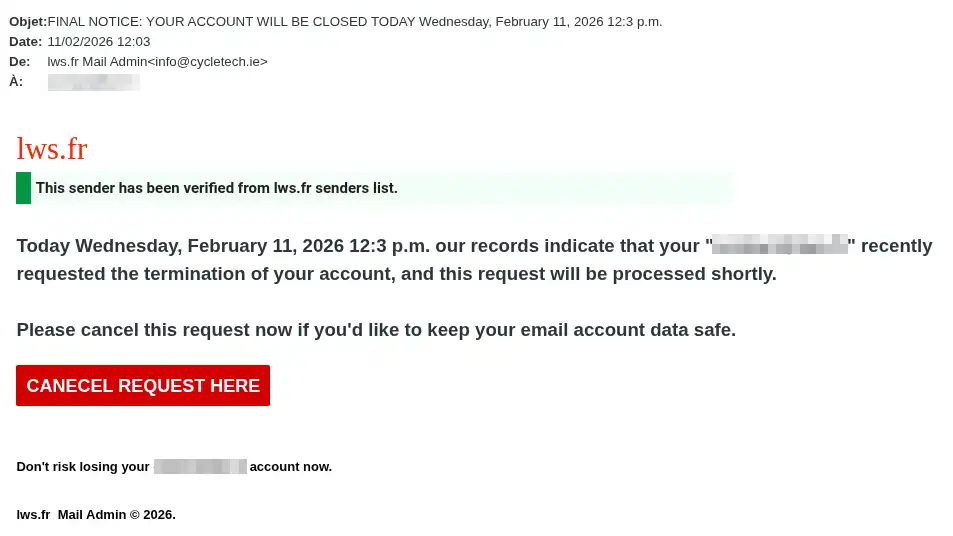
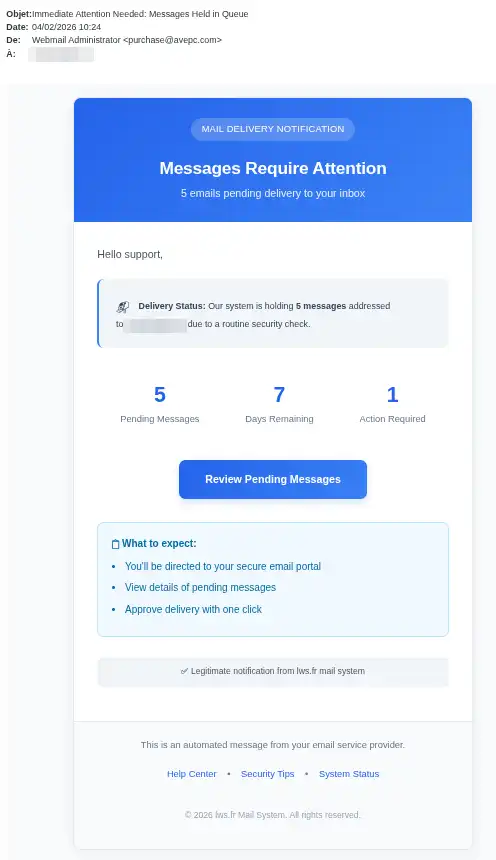
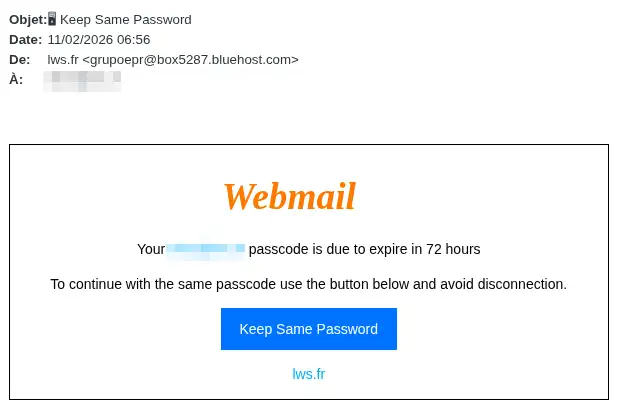
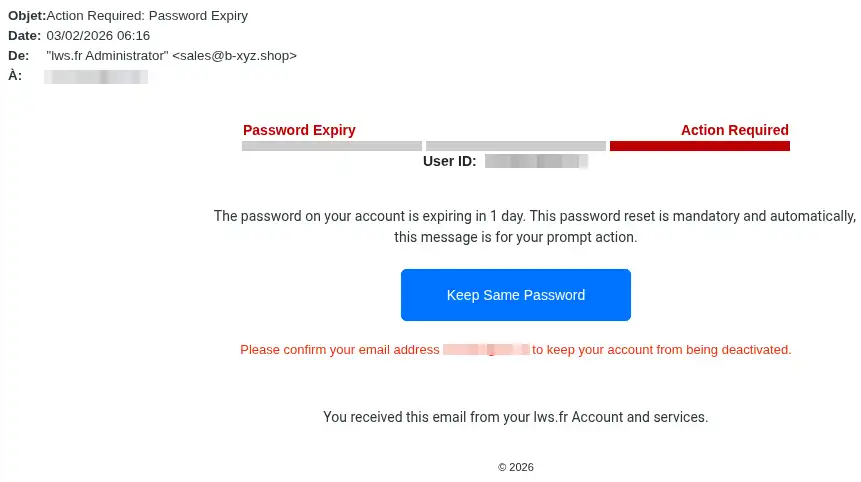
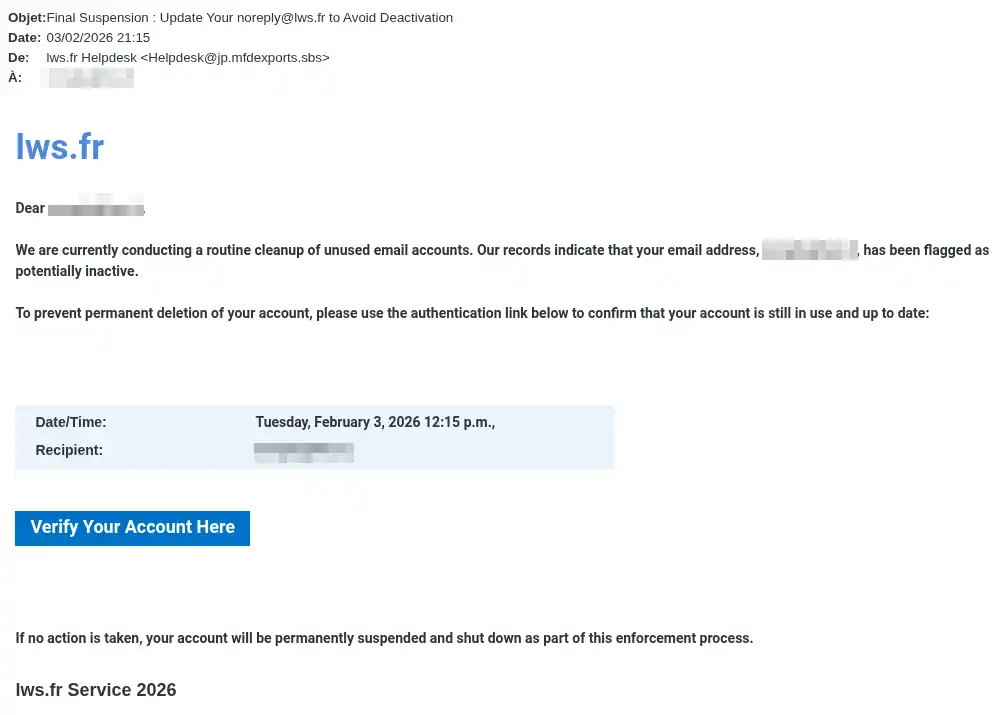
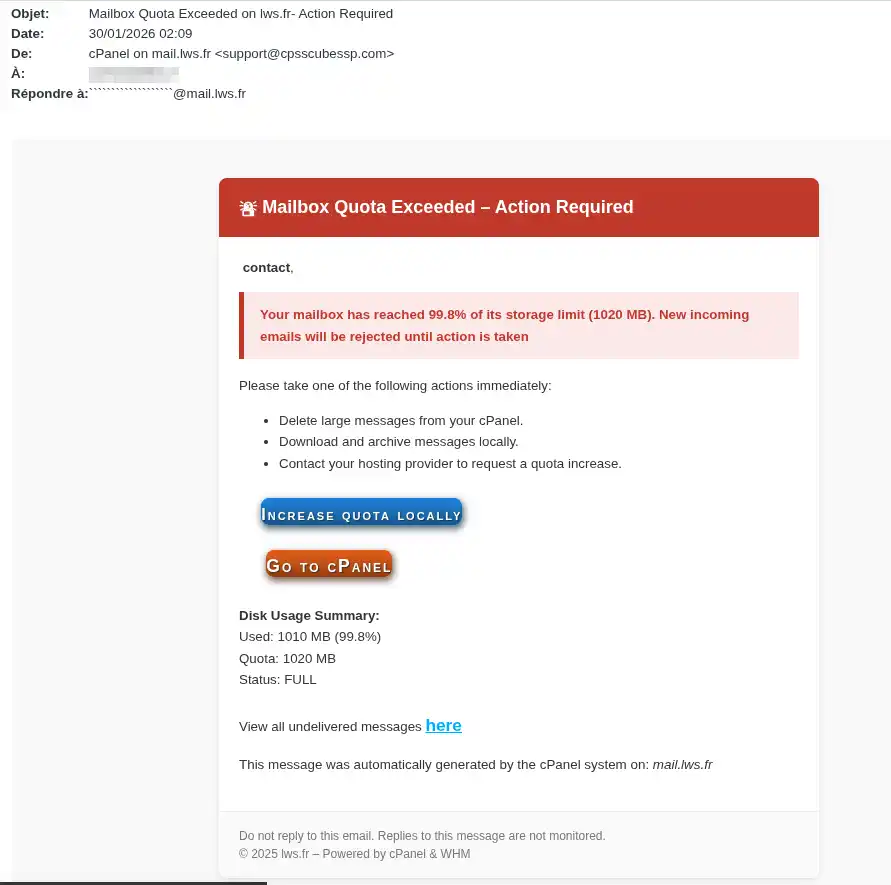
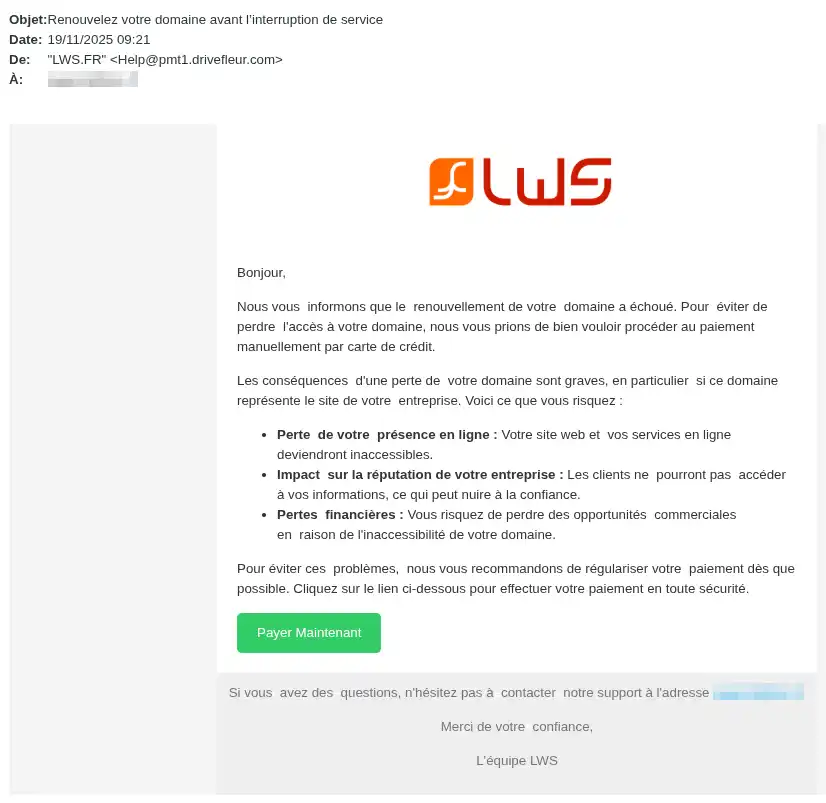
Even if the subject changes, the aim is always the same:
to get you to click on a fraudulent link or enter personal information.
There are several things that should alert you.
All e-mails sent by LWS contain your customer ID in the format :
LWS-XXX depending on the case.
If you receive a message that :
but does not contain your customer ID, you should consider it fraudulent.
LWS only communicates :
If the message comes from another address, it should be considered suspicious.
Example of a suspicious e-mail:
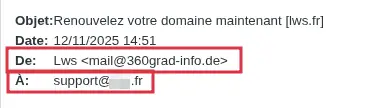
Fraudsters often use wording such as:
This alarming tone is used to push you to act without checking.
An email asking you to :
via a link contained in the message, should be treated with caution.
If in doubt, never click on the link and contact LWS support from your customer area.
A fraudulent email may also contain :
Follow this procedure in order.
Step 1: Don't click on any links
Do not click :
Even if the message seems credible, do not take any action from the email.
Step 2: Don't reply to the message
Don't reply to the sender.
The fact that a well-known name is displayed does not guarantee that the email is legitimate.
Step 3: Check the elements visible in the email
First of all, check :
Step 4: Connect directly to your LWS customer area
Open your browser yourself and access your LWS customer area without using the link in the email.
This will allow you to check the situation from the official source.
Step 5: Check whether a real action is requested
Once you have logged into your customer area, check :
If nothing corresponds to the content of the email, it is most likely a fraudulent message.
Step 6: Contact support if in doubt
If you're not sure about the origin of the message, contact LWS support via the Support section of your customer area.
Do not request verification by replying to the message received.
Always use the official channel.
You can only consider a message to be reliable if several elements match.
Check the following points
The message must :
If the email asks you to take an action but no equivalent request appears in your customer area, consider the message suspicious.
[bcolor]
Case 1 - You received the email but did not click on anything
In this case :
Case 2 - You clicked on the link but did not enter anything
In this case :
Case 3 - You have entered your password
If you have entered the password for your customer account or an email address on a fraudulent site:
Case 4 - You have entered your bank details
In this case :
Case 5 - You have made a payment
If you have paid from a fraudulent link:
"The message looks professional, so it must be true".
This is not a sufficient criterion.
Fraudsters know how to reproduce the appearance of an official email.
Good idea: always check the customer ID, the delivery address and your customer area.
"The message talks about an urgent problem, I need to click fast".
This is precisely what fraudsters are looking for.
Good reflex: never click in a hurry.
"I saw LWS in the sender's name".
The name displayed may be misleading.
Tip: check the actual email address used to send the message.
"I clicked, so my account must have been hacked".
Not necessarily.
The risk depends mainly on what you do next.
Good reflex: if you haven't entered anything, close the page and check your account.
If you have entered a password or paid, act immediately.
"I received an email about a full mailbox, so it's probably real".
Not necessarily.
Good reflex: check from your customer area or your official tools, never from the link in the message.
"The message doesn't contain my customer ID, but it looks serious".
This is a major warning signal.
Good reflex: consider any message requesting an action without a customer ID as fraudulent.
At the end of your check, you should be able to clearly determine one of these two situations.
You are reassured if :
You must act quickly if :
In this type of situation, certain actions need to be taken immediately.
You should not wait several hours or days if :
The faster you react, the more you limit the risks.
To reduce the risks, keep these reflexes in mind:
Fake emails posing as LWS seek to provoke a rapid reaction by using fear, urgency or doubt.
To protect yourself :
If you have given out a password or bank details, act immediately.
Rate this article :
4.6/5 | 18 opinion
This article was useful to you ?
Yes
No
Bonjour,
Je vous remercie pour votre message.
Les coordonnées de nos clients sont masquées sur le Whois, sauf lorsque ceux-ci ont enregistré le nom de domaine en tant que société (pour les noms de domaines en .FR) par exemple.
Dans votre cas, je ne retrouve pas votre fiche client, je ne peux donc pas me prononcer.
Cependant, sachez que les SPAMS et autres mails indésirables, sont reçus, car les spammeurs envoient des emails à des adresses mails très génériques, du type contact@votredomaine.fr ...
Ces derniers ont également des outils qui récupèrent les adresses mails potentielles en clair sur les sites web, et ce quelque soit l'hébergeur, l'outil whois est donc très rarement la porte d'entrée pour les spams.
Je vous remercie de votre attention et reste à votre disposition pour toute autre question ou complément d'information.
Vous pouvez nous contacter depuis votre espace client ou sur cette page : https://www.lws.fr/contact.
Cordialement, L'équipe LWS
 About LWS :
LWS is a 100% French web hosting company that focuses on quality and innovation and offers a responsive and competent technical service at affordable prices.
About LWS :
LWS is a 100% French web hosting company that focuses on quality and innovation and offers a responsive and competent technical service at affordable prices.